Booth Consultation
Create an individual seat for one-to-one visitor conversations.
INDIVIDUAL BRANDED EVENT SEATING
Plan individual branded seating for event lounges, booth consultations, brand activations and visitor interaction.
Product media
Direct answer
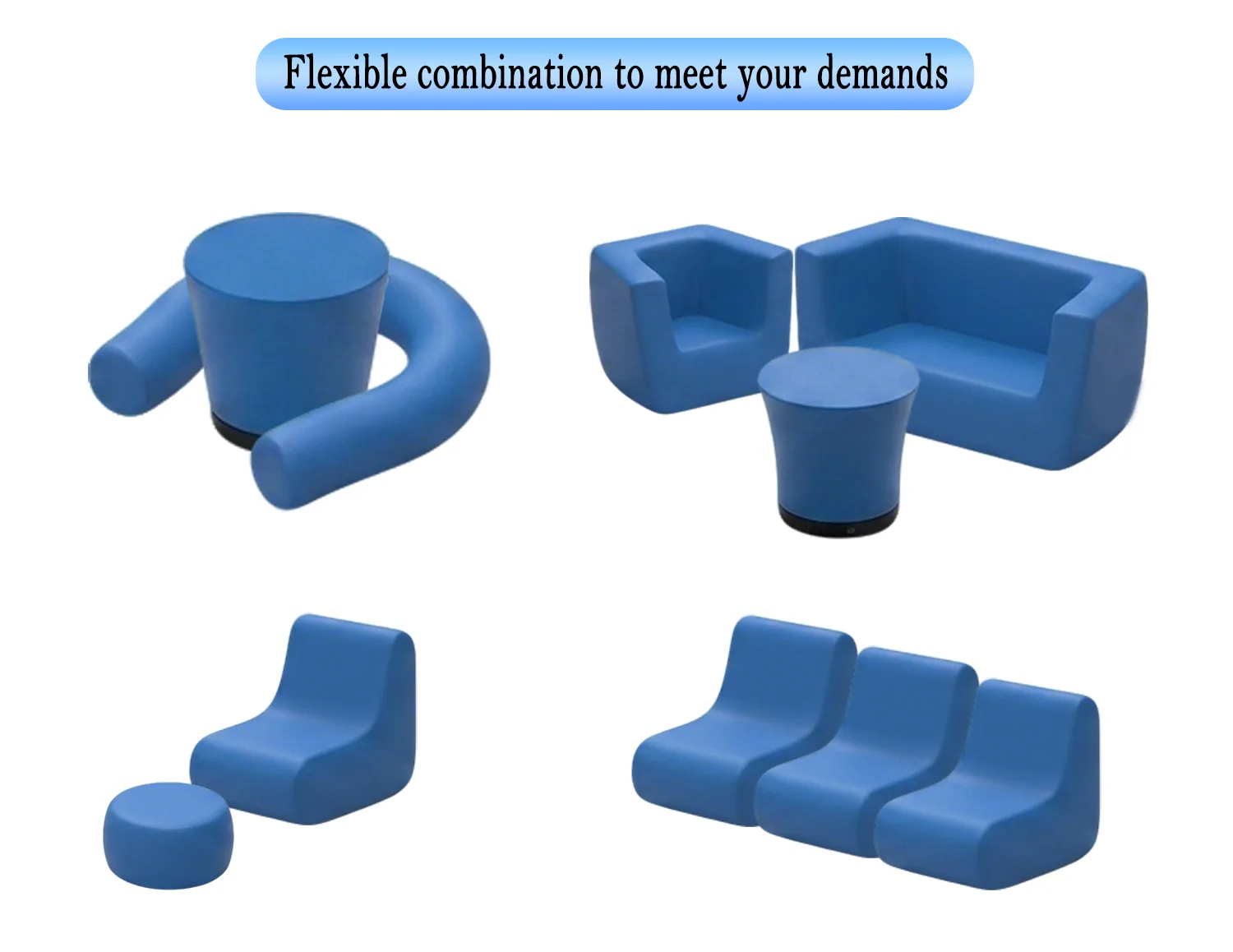
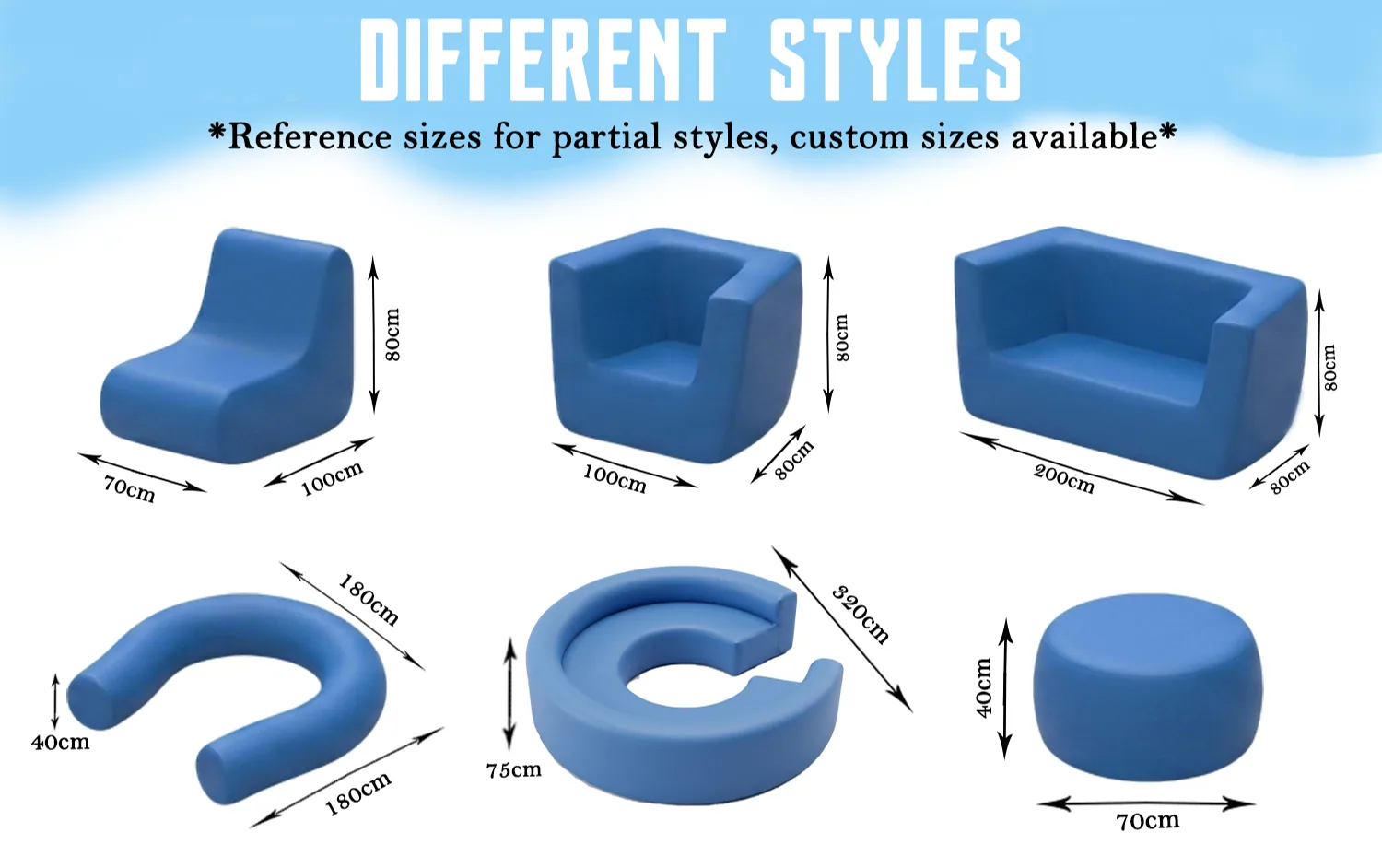
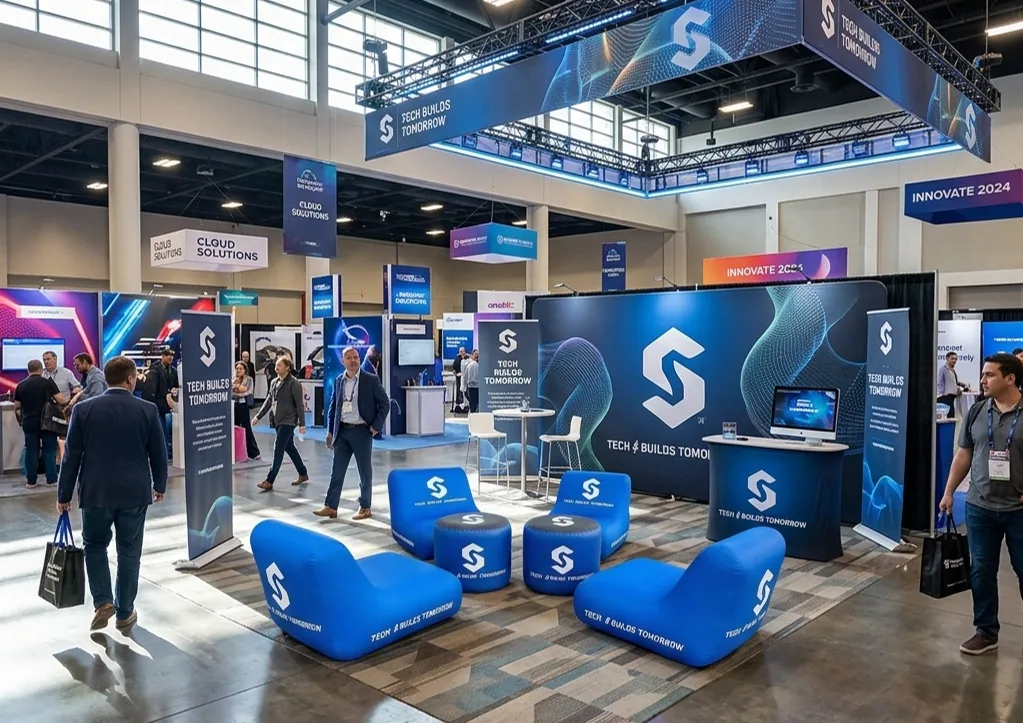
A custom inflatable chair is an individual event seat with an inflatable structure and a printable exterior. Unlike the sofa page, this product is positioned around one-person seating for booth consultation, visitor waiting, brand activation and lounge coordination. The approved furniture family shows chair forms working alone, in repeated rows and beside sofas or tables.
Branded event applications
Plan the furniture around the visitor interaction, available space and brand-graphic role.
Create an individual seat for one-to-one visitor conversations.
Add single chairs around a shared lounge zone.
Carry the campaign graphic onto an individual interaction point.
Organize repeated seats where the event plan calls for a waiting or rest zone.
Verified product details
Only product-specific information supported by the current record is shown here.
Customization & branding
Use the supported areas and methods below as the starting point for this product, then align colors and artwork with the broader event.
View customization guidanceArtwork requirements
Artwork does not need to be uploaded on this page. Share the available files and placement references during sales follow-up.
View the Artwork GuideAccessories & components
Furniture-role comparison
Build the furniture set around the visitor interaction rather than treating each piece as generic home or office furniture.
| Attribute | Inflatable sofa | Inflatable chair | Table / cube |
|---|---|---|---|
| Primary role | Shared event-lounge seating | Individual visitor seating | Branded surface or supporting element |
| Interaction cue | Group or side-by-side conversation | One-to-one consultation or waiting point | Place a surface between or beside seating |
| Brand-graphic role | Large seating exterior | Individual seating exterior | Top and/or visible side area where supported |
Choose the sofa or chair for seating, and add a table or cube when the interaction area needs a coordinated support surface.
Build the event set
Use the chair for one-person seating, then add a surface, shared seat or backdrop only when the visitor flow requires it.
Prepare the RFQ
These details help clarify the project, but they are not all required to start. The form only requires your name, business email, phone or WhatsApp, and requirements.
Get Inflatable Chair QuoteAn estimate is enough to begin.
Lounge chair, armchair direction or a reference image.
Number of individual seats and the available interaction-area footprint.
Ready, needs adaptation or still in development.
Explain where the product will work and what role it must play.
Share the event or in-use date if it is known.
Provide the delivery city and country for project planning.
Inflatable Chair FAQ
The chair is positioned as individual seating. The sofa supports shared seating for side-by-side or group interaction.
They can support booth consultation, event lounges, visitor waiting, brand activations, roadshows, corporate events and relevant sports-event areas.
Yes. The approved furniture family documents printable outer fabric covers for brand graphics.
Yes. Repeated chairs can share one campaign direction, while the exact count, form and placement follow the event layout.
A table or cube can support the conversation, a sofa can add shared seating, and a backdrop or counter can connect the seating to the wider booth.
No. Weight capacity, fire rating, weather rating, certification, warranty and other performance details must be confirmed for the selected product.
Related products
Each relationship has a specific functional role in the event plan.
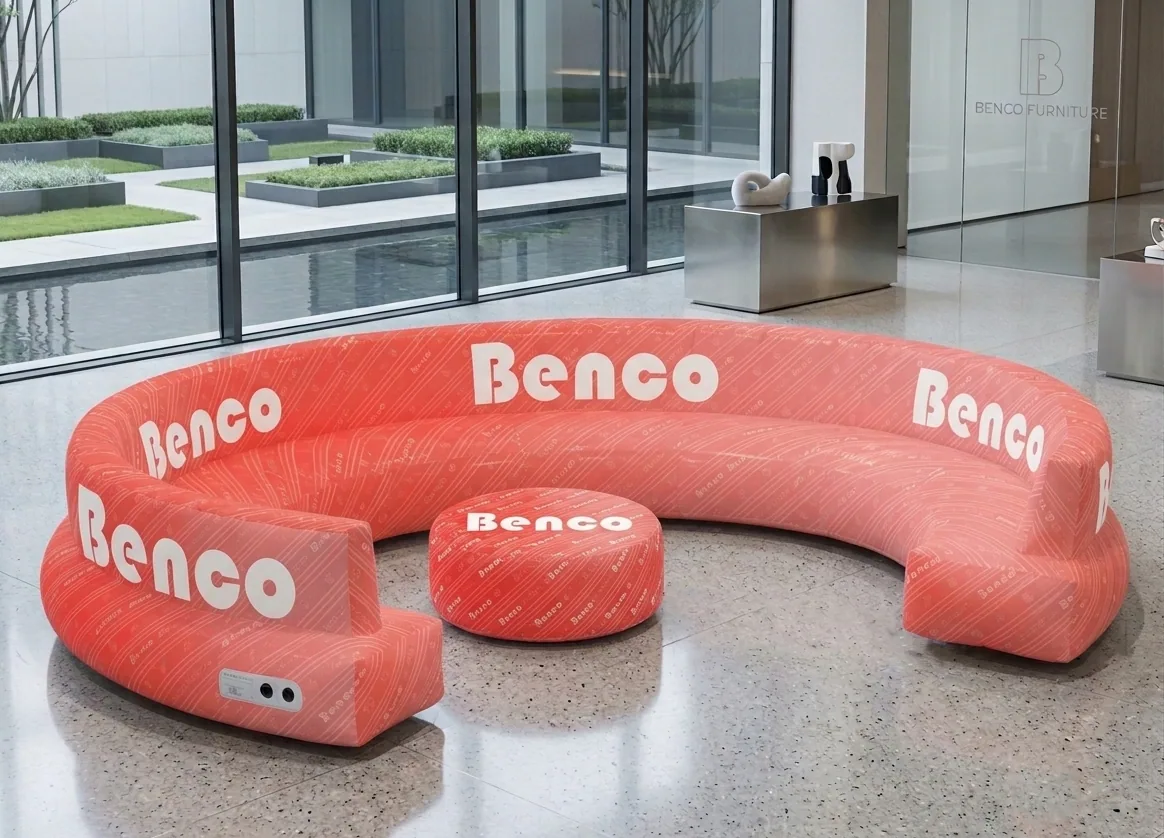
Shared branded seating for side-by-side or group interaction.
View productWhy it is related: Add shared seating when the lounge needs a different interaction mode from individual chairs.
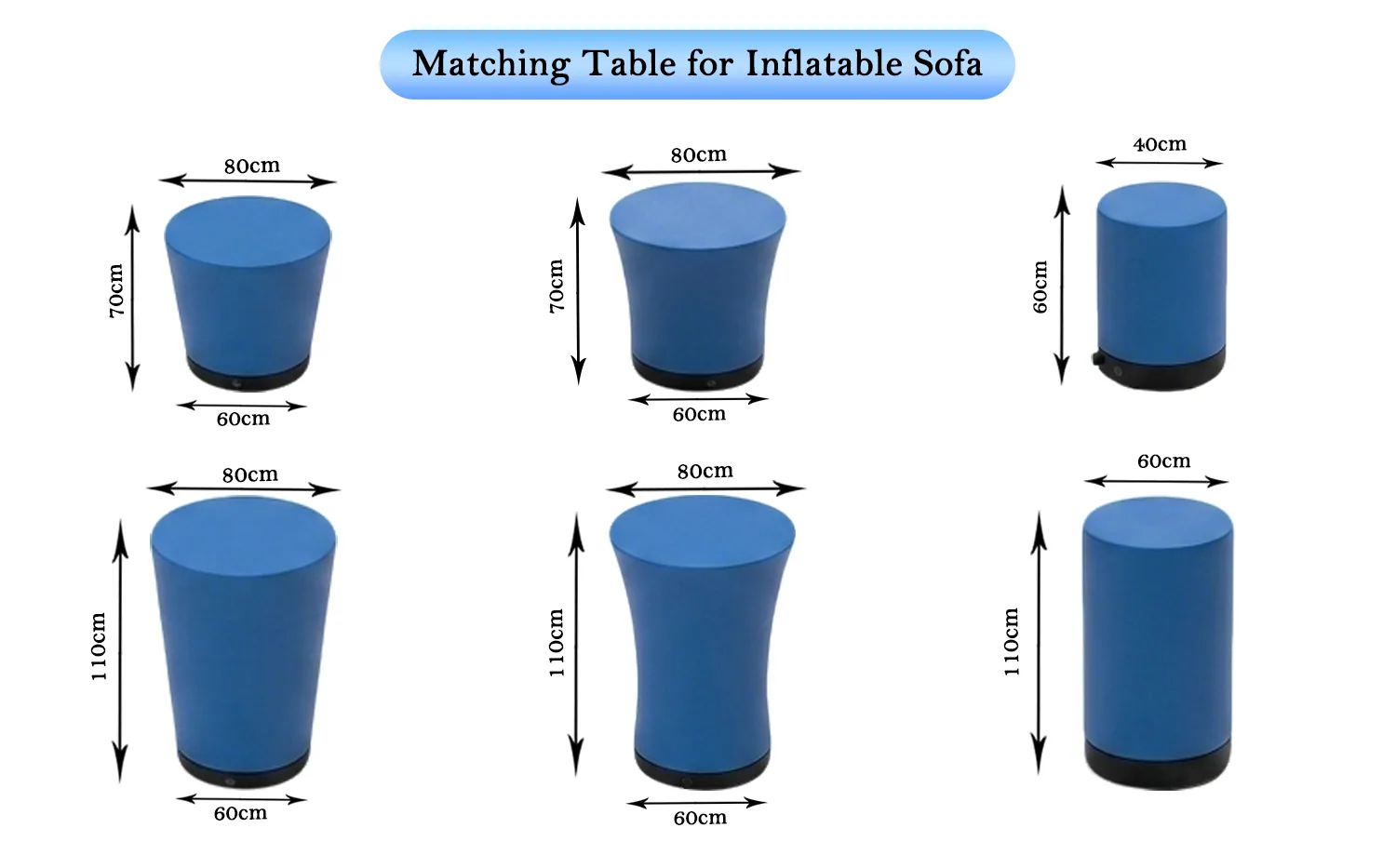
A coordinated support surface for the chair layout.
View productWhy it is related: Place a surface between or beside chairs when the discussion area needs one.
Project guidance
Use these guidance pages when the product includes multiple components, artwork versions or project-specific confirmation points.
One event. One sourcing partner.
Share the furniture role, preferred form, quantity, artwork and event context. Add the surrounding display products only when they belong in the same project.