Booth Reception
Create a clear staffed point at the visitor-facing edge of the booth.
VISITOR INTERACTION POINT
Create a branded point for reception, registration, visitor conversations, samples or product presentation within the booth.
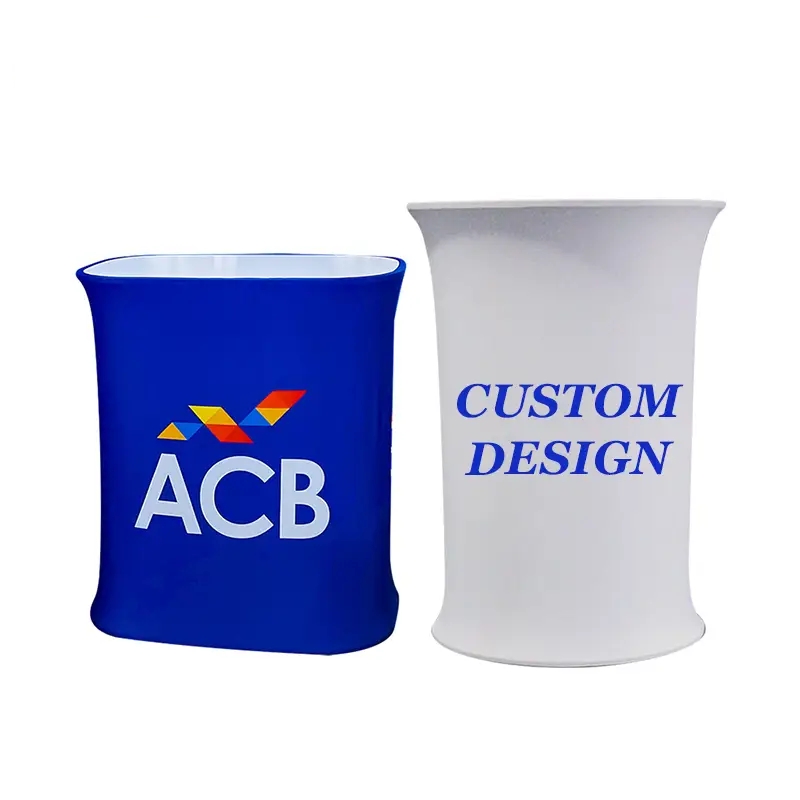
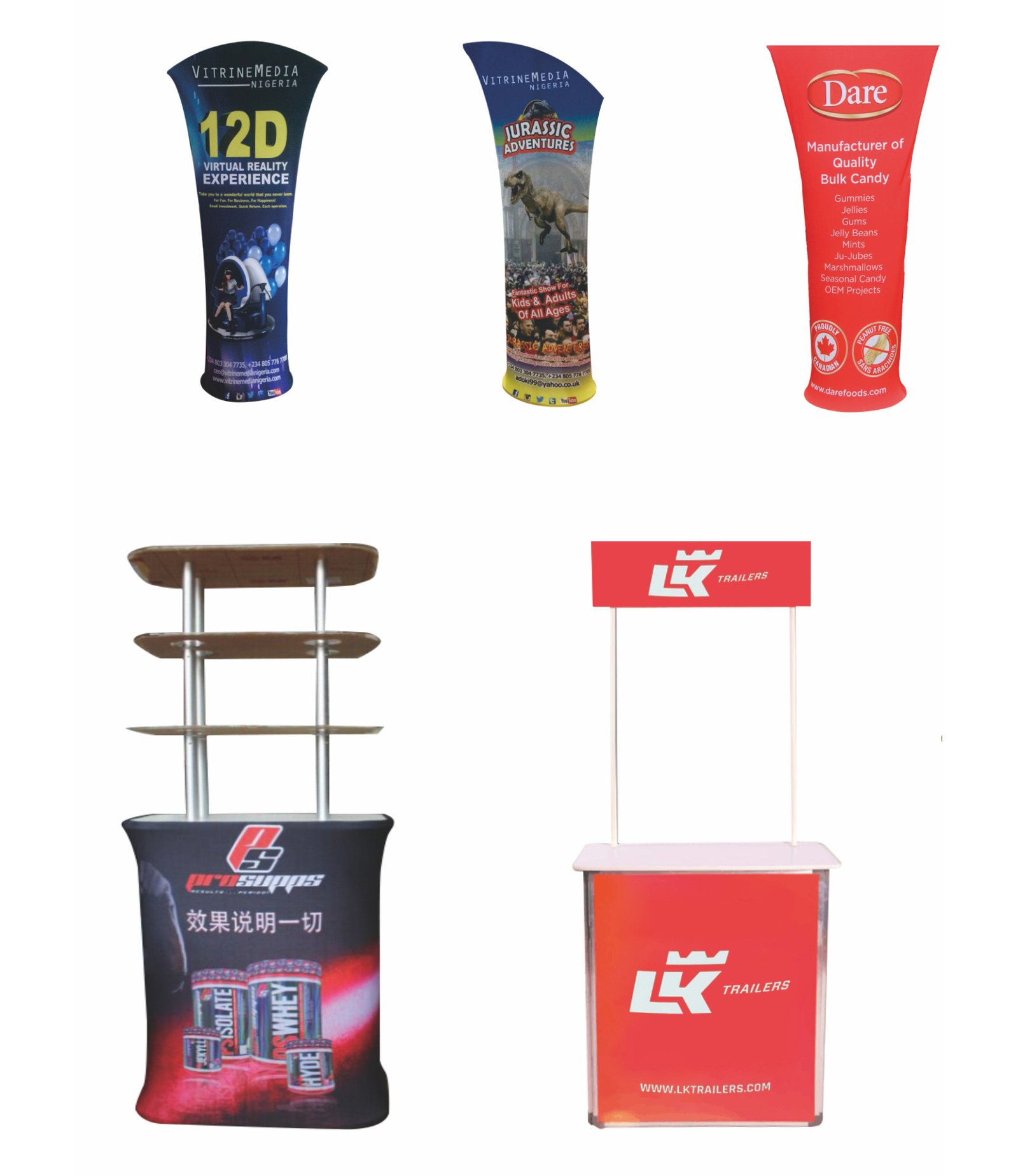
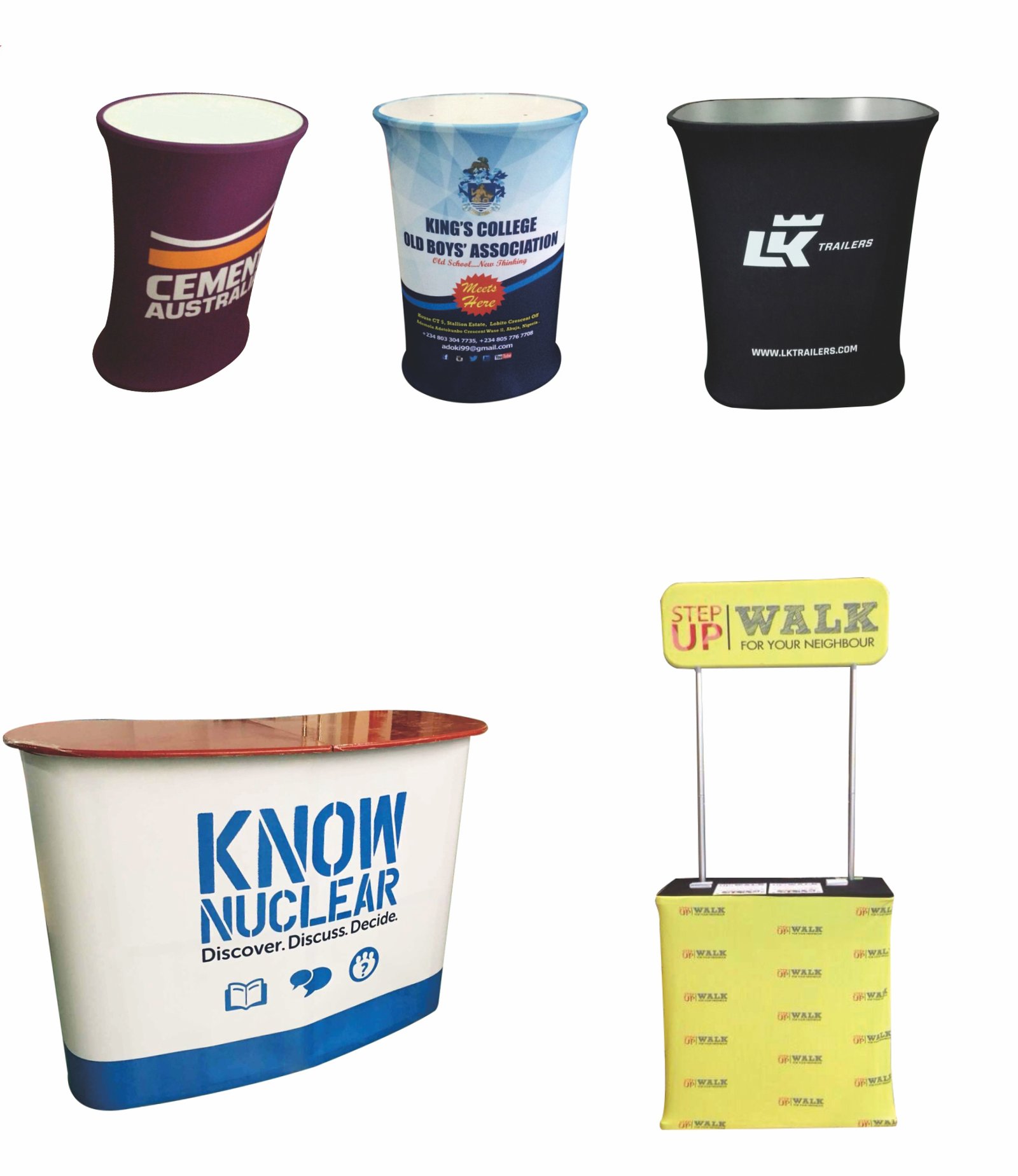
Product media
Direct answer
A custom trade show counter is a branded visitor-interaction surface used for reception, registration, product presentation or conversation inside an exhibition space. Approved sources show tension-fabric, rigid-panel, pop-up and illuminated directions rather than one universal construction. Buyers select the counter format, graphic treatment, working role and relationship to the backdrop and supporting booth products.
Best applications
Use these application cues to decide whether this product belongs in the event brief.
Create a clear staffed point at the visitor-facing edge of the booth.
Provide a surface for samples, literature or a focused product conversation.
Identify check-in or information activity with front-facing graphics.
Support sampling, sign-up or visitor exchange within the branded space.
Verified product details
Only product-specific information supported by the current record is shown here.
Customization & branding
Use the supported areas and methods below as the starting point for this product, then align colors and artwork with the broader event.
View customization guidanceArtwork requirements
Artwork does not need to be uploaded on this page. Share the available files and placement references during sales follow-up.
View the Artwork GuideAccessories & components
Counter planning
Do not assume every counter uses the same fabric, frame or setup mechanism.
| Attribute | Tension fabric | Pop-up | Illuminated |
|---|---|---|---|
| Graphic direction | Fitted fabric front | Graphic paired with a collapsible counter | Graphic integrated with a lighting system |
| Key decision | Shape, fabric graphic and frame | Portable counter mechanism and graphic | Format, graphic and destination power |
| Best question to ask | Does a fitted graphic suit the booth system? | Is a pop-up counter specifically required? | Should the interaction point itself be lit? |
Start with the interaction job and counter format, then confirm the material, working surface and graphic construction for that model.
Build the event set
Use the counter for reception or presentation, then coordinate the background, approach visibility and visitor materials around it.
Creates the primary background behind the counter.
Pairs withFeather FlagsBuilds visibility toward the booth approach.
Pairs withTable CoverAdds a coordinated working or display surface elsewhere in the booth.
Pairs withPromotional ProductsSupports samples, giveaways or visitor follow-up.
Pairs withPromotional BagsPackages takeaways for visitors after the counter interaction.
Prepare the RFQ
These details help clarify the project, but they are not all required to start. The form only requires your name, business email, phone or WhatsApp, and requirements.
Get Trade Show Counter QuoteAn estimate is enough to begin.
Tension fabric, rigid-panel, pop-up, illuminated or not sure.
Share the available space and whether the counter is for reception, demos or registration.
Ready, needs adaptation or still in development.
Explain where the display will work and what it must communicate.
Share the event or in-use date if it is known.
Provide the delivery city and country for project planning.
Trade Show Counter FAQ
It creates a defined visitor-facing point for reception, registration, product presentation, samples or conversation inside the booth.
No. Approved sources show tension-fabric, rigid-panel, pop-up and illuminated directions. The selected format determines the construction and graphic system.
The backdrop should carry the primary visual story while the counter presents a simplified front-facing brand or campaign message at the interaction point.
Choose a table cover when a suitable existing table will provide the working surface. Choose a counter when the project needs a dedicated portable display structure.
Yes. Flags can support booth approach visibility while promotional products and bags support the visitor exchange at or after the counter.
Helpful details include quantity, preferred format and shape, approximate size, booth role, artwork status, required date and destination.
Related products
Each recommendation has a specific role in the buying decision or event project.
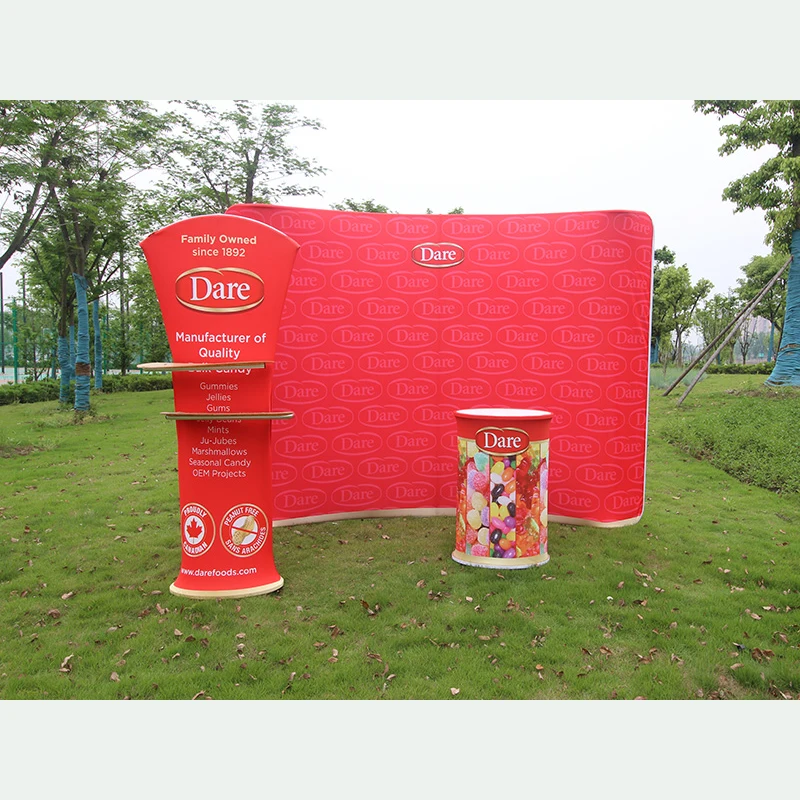
A large fitted fabric background for the booth presentation.
View productWhy it is related: Place the counter in front of a coordinated primary brand graphic.
Related event solutions
Multi-product planning
See how this product can work with a main display, interaction point and optional staff or visitor items in one illustrative planning guide.
Give the booth a clear interaction point
Share the counter role, preferred format, space and artwork status. Add the backdrop, flags, table presentation or visitor products when they belong in the same brief.