01
Main Background
A tension fabric backdrop or pop-up display wall carries the primary visual and message.
Illustrative planning resource
See how a main background, staffed interaction point, supporting message and optional visitor items can be assigned clear roles in one coordinated booth plan.
This is an illustrative planning configuration, not a completed customer project or a fixed product bundle.

The direct answer
Start with one main branded background plus one staffed interaction surface.
The background may be a Tension Fabric Backdrop or Pop-Up Display Wall. The interaction point may be a Trade Show Counter or a suitable existing table with a branded Table Cover.
Optional additions include a retractable banner, lanyards, bags and selected promotional products. Feather flags and pop-up tents are conditional on the booth, venue rules, available space and communication needs.
01 / Start with inputs
The booth plan should begin with confirmed context, not a preselected list of products. A 10×10 or 10×20 footprint can be a useful planning example, but it does not establish universal product fit.
02 / Assign a role
Use four functional zones as a decision model. This is not a prescribed floor plan, and actual placement depends on the confirmed booth and venue.
A tension fabric backdrop or pop-up display wall carries the primary visual and message.
A trade show counter—or a suitable existing table with a branded cover—supports staff and visitor interaction.
An optional retractable banner adds a secondary, directional or focused message without crowding the main background.
Lanyards, bags and selected promotional products support identification or visitor follow-up when the brief calls for them.
Semantic booth diagram
03 / Make each choice deliberate
The guide explains what each product needs to do. Product pages retain ownership of sizes, materials, hardware, printing details and packaging information.
Main background
Use the confirmed footprint, open sides, setup context and required visual form to compare the two background families. Select one clear primary surface before adding supporting messages.
Compare Tension Fabric Backdrops Compare Pop-Up Display WallsWelcome & conversation
Use a trade show counter for a dedicated portable interaction structure. Use a table cover when the venue or exhibitor already provides a suitable table and the job is to brand that surface.
Explore Trade Show Counters Explore Table CoversSupporting message
A retractable banner can carry a secondary, directional or product-focused message. Omit it when the main background communicates enough or the additional stand would constrain movement.
Explore Retractable Banner StandsStaff & takeaway
Choose staff and visitor items around who receives them, what they need to do, what they carry, how they are distributed and the estimated quantity.
04 / Decision summary
Use this table to identify a starting point and the information needed to confirm or change it.
Swipe across to review all columns.
| Booth Need | Starting Product | Alternative / Addition | Key Buyer Input |
|---|---|---|---|
| Main background | Tension Fabric Backdrop | Pop-Up Display Wall | Footprint, open sides, visual role and setup context |
| Staffed interaction | Trade Show Counter | Table Cover on a suitable existing table | Staff task, available surface and visitor interaction |
| Supporting message | Retractable Banner Stand | Omit it when the main display carries the full message | Secondary content, sightline and available floor space |
| Staff identification | Custom Lanyards | Coordinate with other approved staff items | Badge relationship, staff role and venue requirements |
| Visitor takeaway | Custom Tote Bags | Pens, notebooks or selected promotional products | Recipient, purpose, contents, distribution and quantity |
| Approved approach / outdoor area | Custom Feather Flags | Custom Pop-Up Tent where the context supports it | Venue permission, placement, surface, base and weather context |
05 / Core product paths
Open the relevant product page for format and specification detail after the booth role is clear.
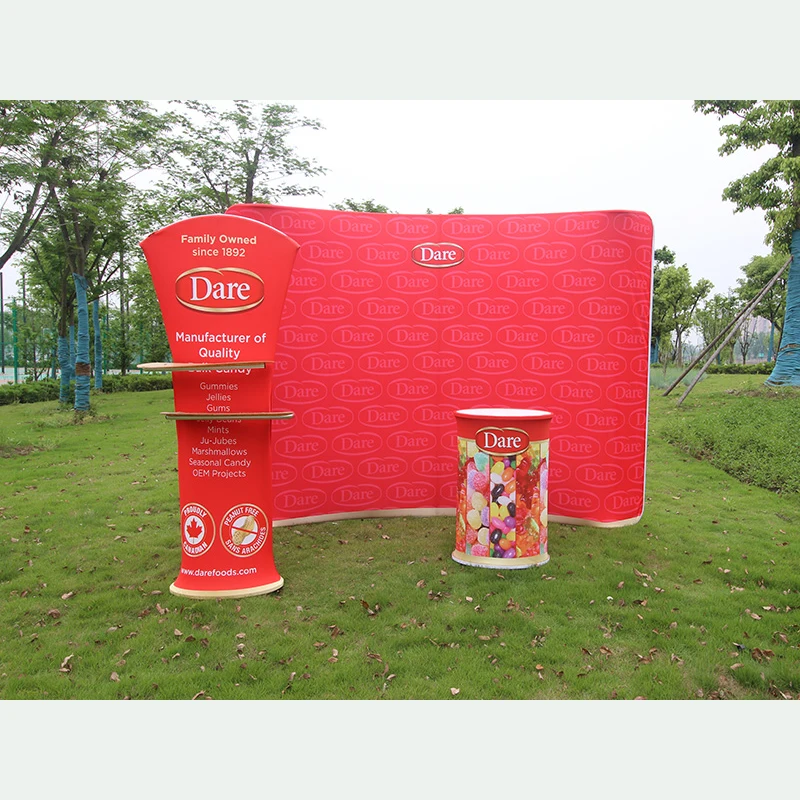
Create a large fabric graphic background in a straight, curved or supported S-shaped configuration for exhibitions, events and photo areas.
View product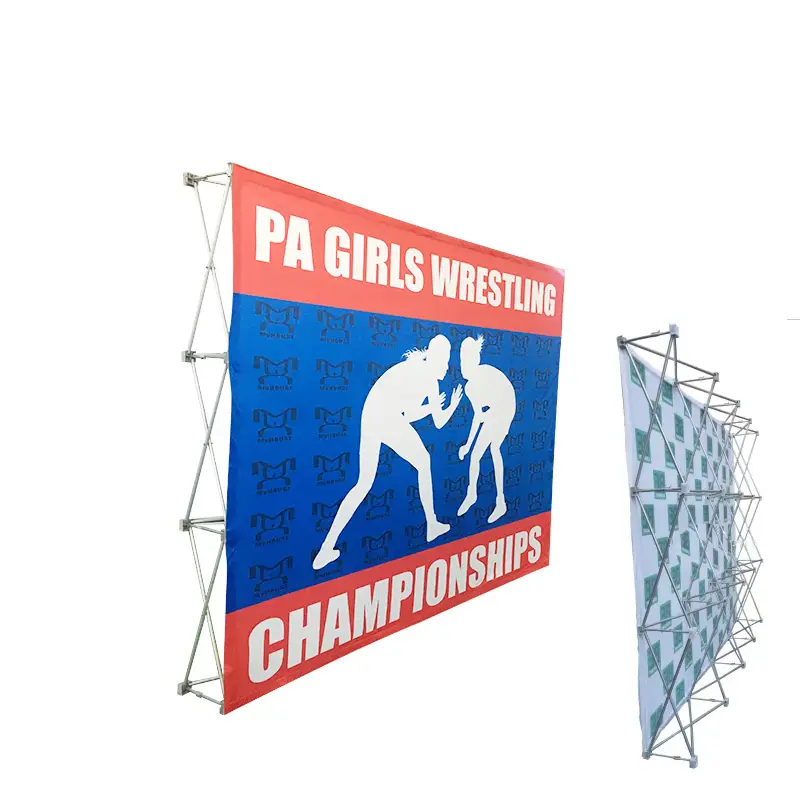
Use a collapsible pop-up wall for a portable exhibition background, media wall or branded presentation surface.
View product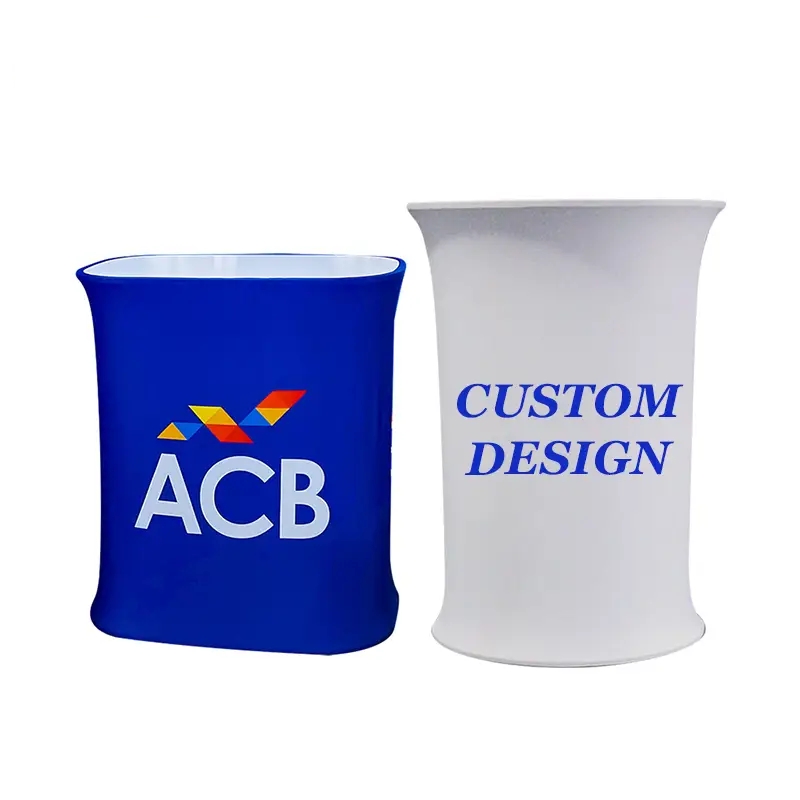
Create a branded point for reception, registration, visitor conversations, samples or product presentation within the booth.
View product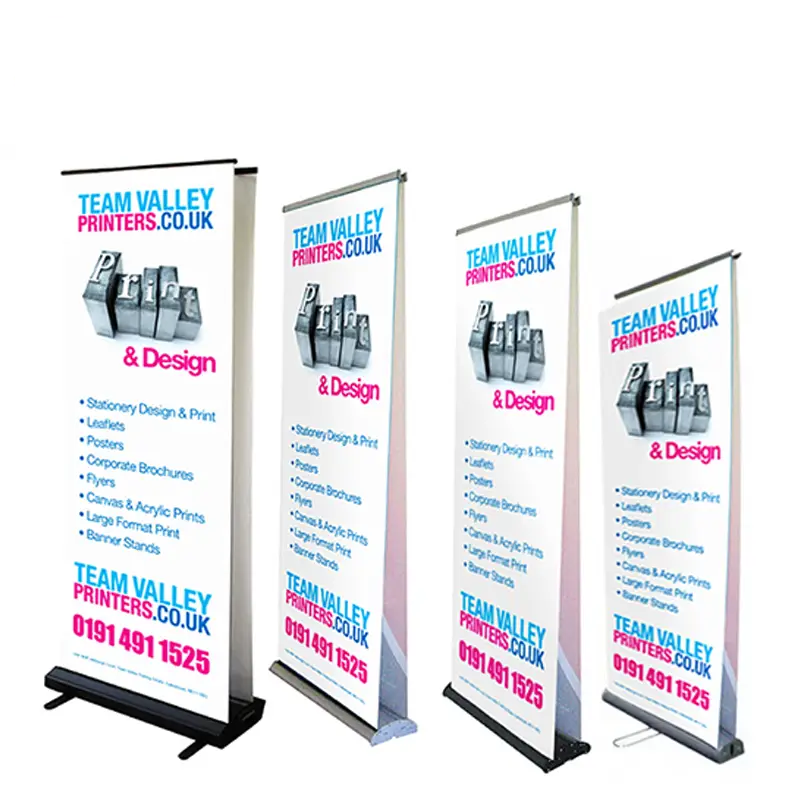
Use a roll-up display for compact vertical messaging at trade shows, retail promotions, corporate events and registration points.
View product06 / Coordinate the identity
Keep one approved identity while building product-specific layouts for different shapes, viewing distances and branding areas.
One identity
Supported references can include Pantone, CMYK, RGB, HEX, brand guidelines and physical reference samples where appropriate.
The same reference may reproduce differently across materials, printing processes and finishes.Gather a vector logo where available, campaign graphics, sponsor files, brand-color references and the relevant product templates.
07 / One coordinated brief
Submit selected products, quantities, artwork status, event date, destination and intended booth roles in one project brief. XZD Branding can review the coordinated sourcing requirement and clarify product-specific specifications.
Use these prompts to organize the brief. They do not add new required form fields.
08 / Planning questions
Answers stay conditional because the booth, venue, artwork and selected product formats determine the final setup.
Start with one main branded background and one staffed interaction surface. The background may be a tension fabric backdrop or pop-up display wall; the interaction surface may be a trade show counter or a suitable existing table with a branded table cover. Add a retractable banner, staff items or visitor takeaways only when they have a defined role.
Not always. A backdrop can carry the primary booth message on its own. Add a retractable banner when a secondary, directional or product-specific message needs a separate sightline, and omit it when space or communication needs do not justify it.
Choose a trade show counter when the setup needs a dedicated portable interaction structure. Choose a table cover when a suitable table already exists and only needs coordinated branding. Confirm the staff task, available footprint and supplied furniture before deciding.
Possibly, but the venue must permit them and the available height, floor space, base, traffic route and placement must be suitable. Treat feather flags as a conditional visibility element, not a universal indoor-booth component.
Only in some contexts. Venue permission, booth footprint, height limits, fire or safety rules, access and the intended use all need confirmation. A tent should remain outside the base booth plan unless those conditions support it.
Keep one approved identity—logo, campaign message, brand colors and sponsor hierarchy—but adapt the layout to each product template and viewing distance. A backdrop can carry the main story, a banner a supporting message, and a counter, lanyard or small item a simpler brand treatment.
Use those sizes as planning examples, not universal product-fit rules. Confirm the actual organizer plan, open sides, usable footprint, furniture, visitor approach and placement limits, then assign each selected product a clear role within the confirmed space.
Yes. Put the selected products, estimated quantity for each, artwork status, event date, destination and intended booth roles into one project brief. Product-specific specifications can then be clarified within that coordinated sourcing request.
Include the booth or event context, products under consideration, estimated quantity by product, artwork status, event date, destination, known venue restrictions and any alternatives you want reviewed. These are planning prompts, not additional required form fields.
From planning model to project brief
Share the event context, selected products and known constraints so the display, interaction point, supporting message and optional items can be reviewed together.